Showing posts with label recovery. Show all posts

Saturday, March 22, 2014

HDD Recovery Pro Recover Corrupted Data and Undelete Lost Files

HDD Recovery Pro can recover lost data in most common hard drive failures, including damaged or corrupted hard drives, inaccessible disks, damaged or corrupted partition tables and file systems, including all versions of FAT and NTFS up to the latest revisions introduced in Windows Vista. It can restore accidentally deleted files and recover data from formatted disks, flash memory cards and digital cameras.

No technical skill are requires for working with HDD Recovery Pro.
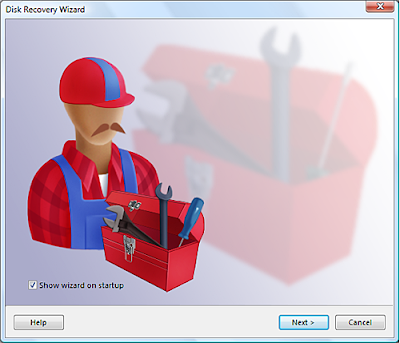
HDD Recovery Pro - Recover Corrupted Data and Undelete Lost Files

HDD Recovery Pro Feature List:
  • Pre-recovery Live Preview displays Office documents and pictures before recovery
  • Smart Scan prioritizes the recovery of documents, archives and pictures over everything else, ensuring the recovery of valuable information
  • Lost partition scan
  • Deleted partition recovery, unformat tool
  • Boot sector (MBR) recovery
  • Two Partition Recovery Wizard
  • Restores files from damaged or corrupted hard drives
  • Restores files from inaccessible hard drives
  • Recovers damaged and corrupted partition tables
  • Restores NTFS and FAT disks after accidental formatting
  • Recovers accidentally deleted files
  • Recovers files and pictures from digital cameras and memory cards
  • Recovers files erased from Windows Recycle Bin
  • Supports Microsoft® Windows® 95, 98, ME, NT, 2000, XP, 2003 Server, and Vista
  • Supports NTFS, NTFS 4, NTFS 5, FAT12, FAT16, FAT32, and VFAT file systems
  • Recovered files can be saved to any disks, including network storage
  • Provides safe and secure recovery by creating a full image of a faulty hard drive, and working with the image only, which reduces risk of causing additional corruption to the damaged hard drive.
  • Creates virtual partitions that can be used as disks to recover data from
  • Supports hard drives (HDD), digital cameras, floppy disks, Zip disks, Jaz disks, Smart Media Cards, Sony Memory Sticks, Compact Flash cards, MicroDrives, Secure Digital Cards, xD Picture Cards, Flash cards, PC Cards, Multimedia Cards, and any USB disks.
HDD Recovery Pro fix damaged partitions, recover corrupted data and undelete lost file, download from link here
Read More..

Sunday, March 16, 2014

Tivoli Storage Manager FastBack Storage Management and Recovery Software

Tivoli Storage Manager Fastback is next generation data recovery software that helps to reduce the amount of data at risk between backups, and reduces the amount of time it takes to recover from almost any problem to just a few minutes.

Tivoli Storage Manager FastBack - Storage Management and Recovery Software

Tivoli Storage Manager FastBack  Features :
  • Augment Tivoli Storage Manager to provide enhanced protection and recovery of business critical Windows application servers in the data center;
  • Automate and consolidate the protection of data in remote and branch offices.
  • Provide cost-effective comprehensive data protection and disaster recovery solution for small and mid-sized organizations.
  • Protect and recover data for critical Windows applications, including Microsoft Exchange, SQL, SAP, DB2 and Oracle, seamlessly at the block level while eliminating the need for traditional backup windows.
  • Recover the data you need – a single file or an entire volume within a couple of minutes; restoration of the data occurs in the background.
  • Meet data protection and retention requirements on a per-application basis by scheduling automated backup operations as often as needed, up to true Continuous Data Protection (CDP).
  • Reduce the amount of data at risk between backups to as little as the last transaction and reduce the time it takes to recover any amount of data to just a couple of minutes, following almost any type of data loss.
  • Perform non-disruptive snapshots in the background; the lightweight agent is an excellent backup solution for Virtual Machines (VM).
  • Integrate easily with Tivoli Storage Manager as part of a Unified Recovery Management platform for the entire enterprise.
  • Improve visibility into your data management environment with integrated Tivoli Common Reporting.
  • Operating systems supported: Windows
Download Tivoli Storage Manager FastBack from web developer
Note : to download this software you may register
Read More..