Showing posts with label your. Show all posts

Friday, July 18, 2014

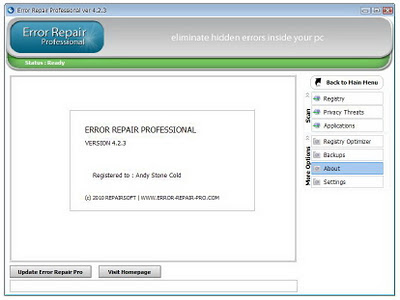
Error Repair Professional Eliminate hidden errors inside your pc

Error Repair Professional ia registry cleaner that uses high-performance error identification algorithms to quickly identify missing and invalid references in your Windows registry. It will safely clean and repair Windows registry problems with a few simple clicks and enable you to enjoy a cleaner and more efficient PC. Keep your PC operating smoothly by using Error Repair Professional to identify and repair hidden errors inside your PC. Error Repair Professional will guarantee that you eliminate errors in the nerve center of your PC.

By using Error Repair Professional regularly to fix error in Windows registry, your system should not only be more stable but it will also help Windows boot faster.

Error Repair Professional - Eliminate hidden errors inside your pc
Download Error Repair Professional from link below :
web developer
Read More..

Thursday, July 17, 2014

Speccy Information About Your PC


Speccy is an advanced System Information tool for your PC. Need to find out what’s inside your computer? No problem! Speccy will give you all the information you need.

At first glance, Speccy may seem like an application for system administrators and power users. It certainly is, but Speccy can also help normal users, in everyday computing life.

If you need to add more memory to your system, for example, you can check how many memory slots your computer has and what memory’s already installed. Then you can go out and buy the right type of memory to add on or replace what you’ve already got.

If you’re going to be selling your PC, you can use Speccy to quickly list out the components. Or, if you’re buying a PC, you can use Speccy to check that the computer has what the label says it has.

Publisher : Visit Website

DOWNLOAD
Read More..

Friday, April 11, 2014

SmartClose Close Your Programs

SmartClose is a freeware to close all running programs, and save system state to open those programs again later. Now-a-days, almost all the latest software asks you to close all the programs running on the PC before installing the software. And that’s where you get the benefit of SmartClose. You can close all the programs by yourself but still it’s not possible to close all the hidden running programs, stop your screensaver and stop the programs that might appear on the screen when any important work is going on.


SmartClose’s unique concept of system restoring helps you to close all the ongoing programs, stop the screensaver and also stop the ongoing processes that can come as an obstacle when you are performing a work that requires closing all the apps. And it performs all these action by taking a screenshot before closing all the apps. It’s called system snapshot and it helps you to restore all the programs, processes and screensaver with just one click.


Read More..

Thursday, March 20, 2014

Trick to Check if Your Facebook is Infected


Hello techno craze lovers,today we are going to present an awesome security trick by which you can check if Your Facebook was Infected.Yes,you can really check just like you do with your personal computer by scanning it with an antivirus.This is same security method.


In todays world,importance of security is very well known and nobody can neglect it,with the increasing fear of virus and hackers,we caannot neglect security of our accounts.Facebook is an important social place where we go each and every day,and even sometimes,numerous of times .So,its security holds great importance.So,lets start and see how yo can do it

1.Go to this website http://www.faceinfected.com/

2.click start

3.Select "go to app"

4.select "allow"

5.Now you will see 6 scanning options,select which item you want to scan.Here i recommend to specially scan links as they are most root cause of security.

6. It will give you details after scanning like "No malware virus".

Thats it.

You can do this regularly or even when you think a security problem has hitted your account.

People on Facebook have great power—they can Friend, Chat, share Status Updates, post Comments, share Links, tag Photos, post Videos, join Groups, create Pages, design Polls, and play together using Applications. They use Facebook to promote causes, interests, and themselves! Facebook allows the world to be more open and connected by giving its users the tools to interact and share in any conceivable way. And, to paraphrase the superhero, with great power comes great responsibility. Just as a city paints sidewalks, and pedestrians look both ways before crossing the street, security on Facebook is a responsibility shared between Facebook and the people who use its platform.

You are the first line of defense in protecting your account. You can take control of your protection by using strong passwords, taking advantage of the many advanced security settings that provide authentication as well as secure communications, and making sure you log out when you are done.


So,this was all about "How to Check if Your Facebook is Infected".I hope you enjoyed this article.If you are facing any difficulty at any step,kindly tell me,i will reply as soon as possible.And please support us by sharing this article on various social media by buttons given.
Read More..

Wednesday, March 19, 2014

File and Folder Protector Protect your files and folders at Windows kernel level

Protect your files and folders with File and Folder Protector at Windows kernel level. This great easy-to-use password-protected security utility lets you password-protect certain files and folders, or to hide them securely from viewing and searching just with a click of mouse. When PC user tries to access any protected file or folder, dialog box querying password appears on the screen. If entered password is valid, the user can access this file or folder, otherwise not.

File and Folder Protector

File and Folder Protector does not modify your media: in protecting your files or folders, it just uses a high-reliability VXD driver working at Windows kernel level. This guarantees that File and Folder Protector will never lose your data, as may happen if you use other file- and folder-protecting software. Due to unique technology, the program also lets you protect system files and folders such as the Windows System, Registry and Swap files. You will find it very easy to use. Excellent on-line help is available. Try our password and security tools.
Download File and Folder Protector from link below :
web developer
Read More..